 Label Magic
Any label.
Perfect 4×6.
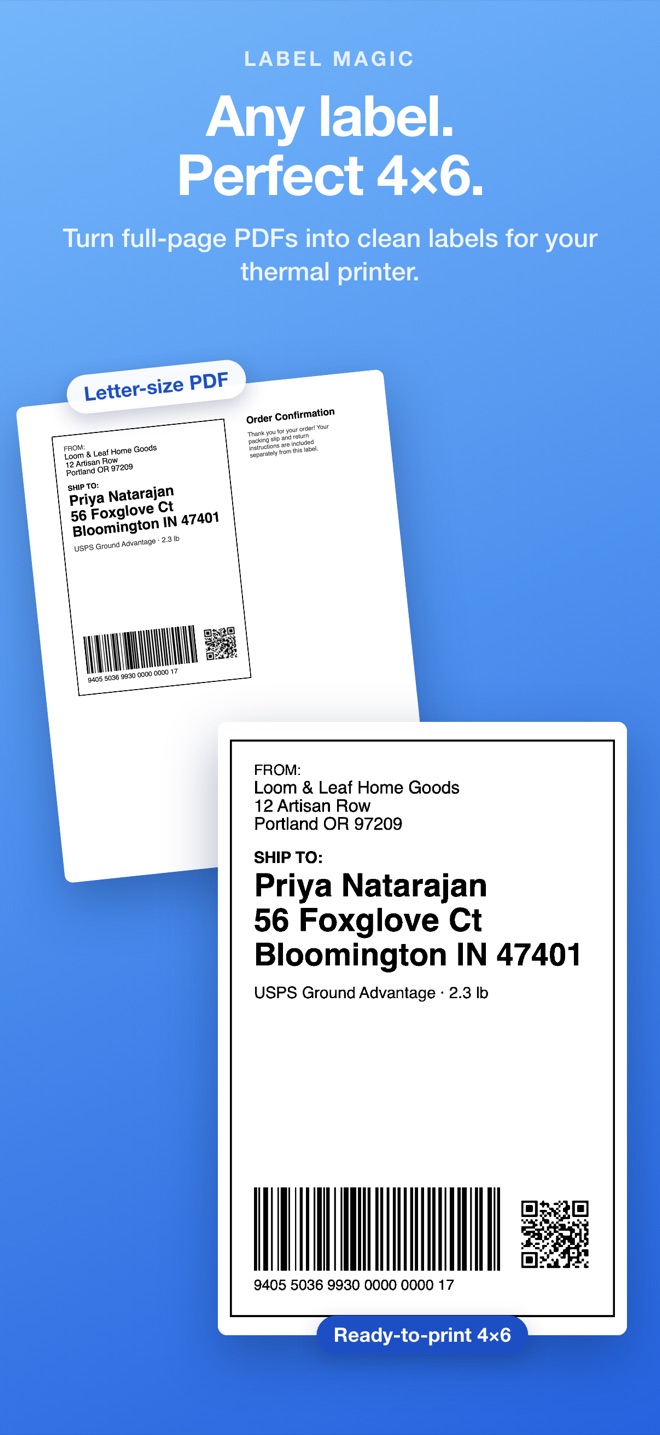
Label Magic finds the shipping label in a full-page PDF or image, crops and rotates it, and prints a crisp 4×6 label on your thermal printer. No fiddling with print settings.


Free to download. Your first 10 labels are free.
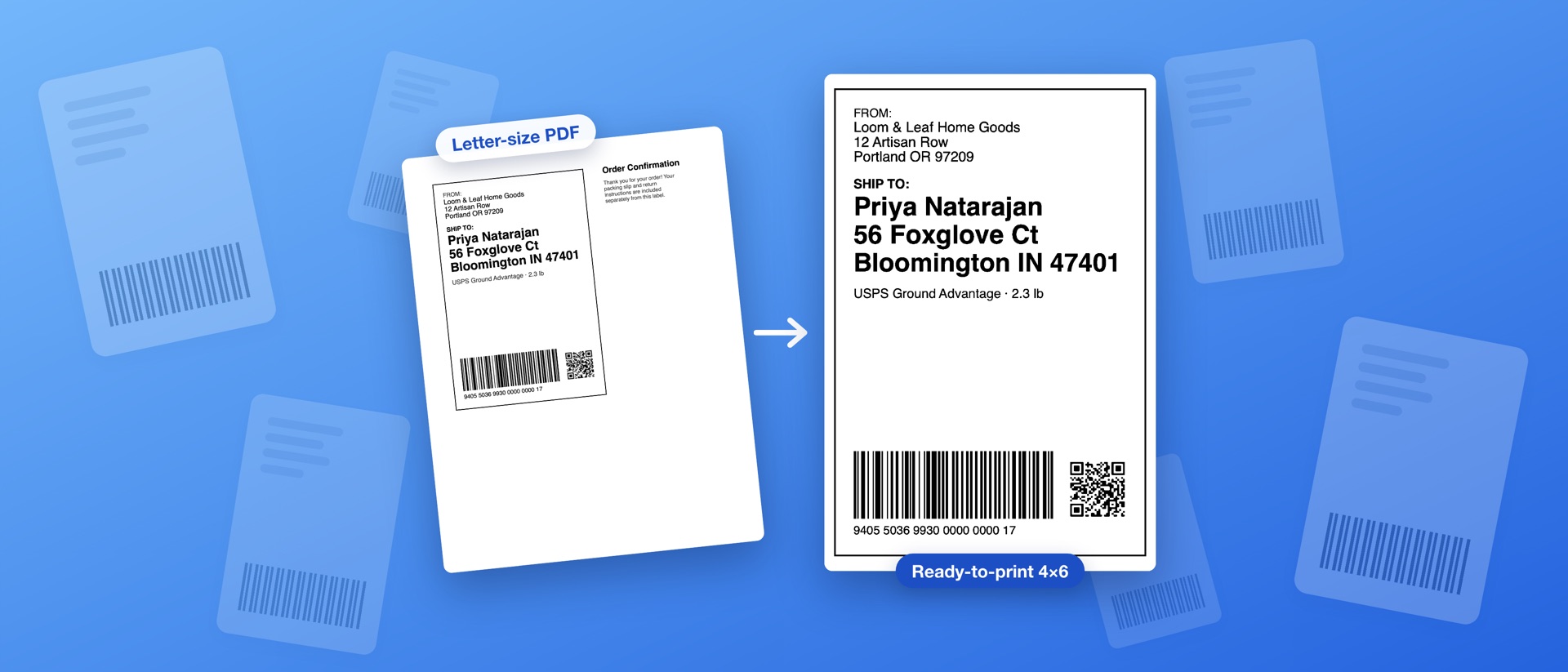
Shipping labels rarely arrive as 4×6
Marketplaces and carriers often hand you a letter-size page with the label in one corner, a packing slip beside it, or the label printed sideways. Print that on a 4×6 thermal printer and you get a tiny, scaled-down label, or half of one. Label Magic fixes it in one step.
Open the label
Drop in the PDF or image, share it from Mail or Safari on iPhone, or browse your Downloads folder.
It finds the label
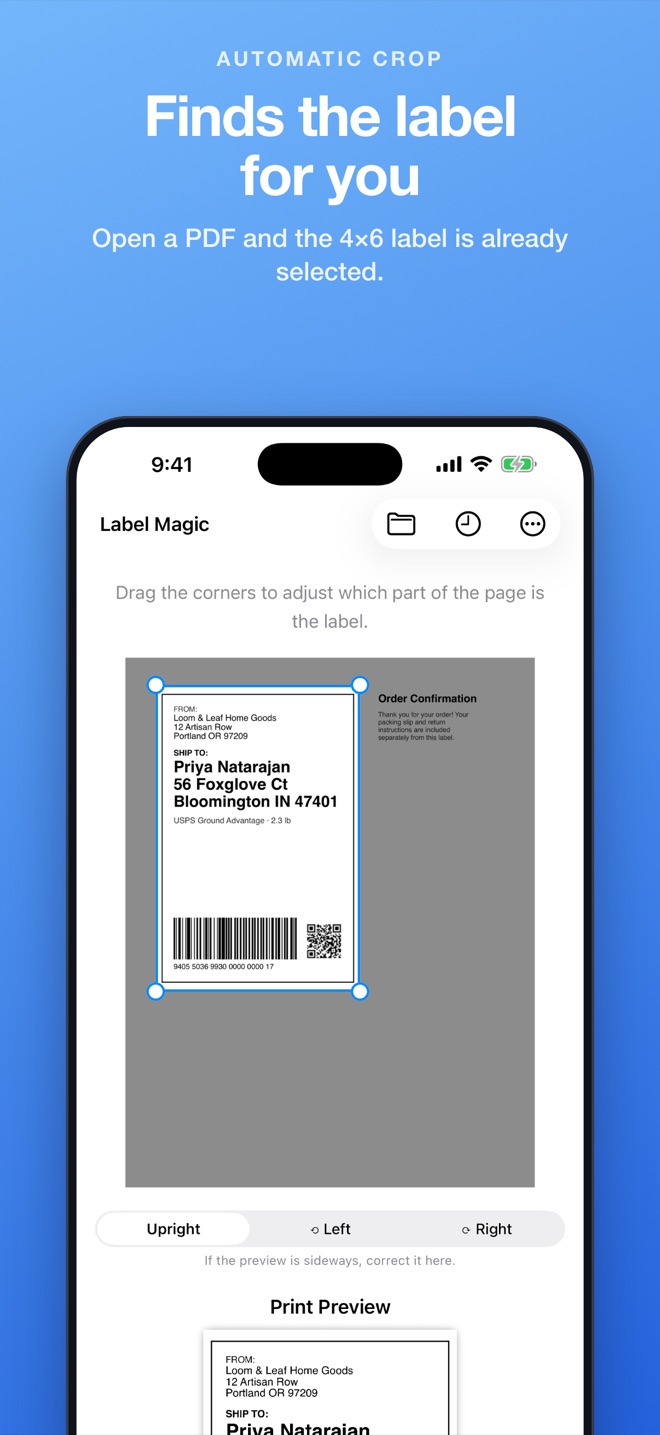
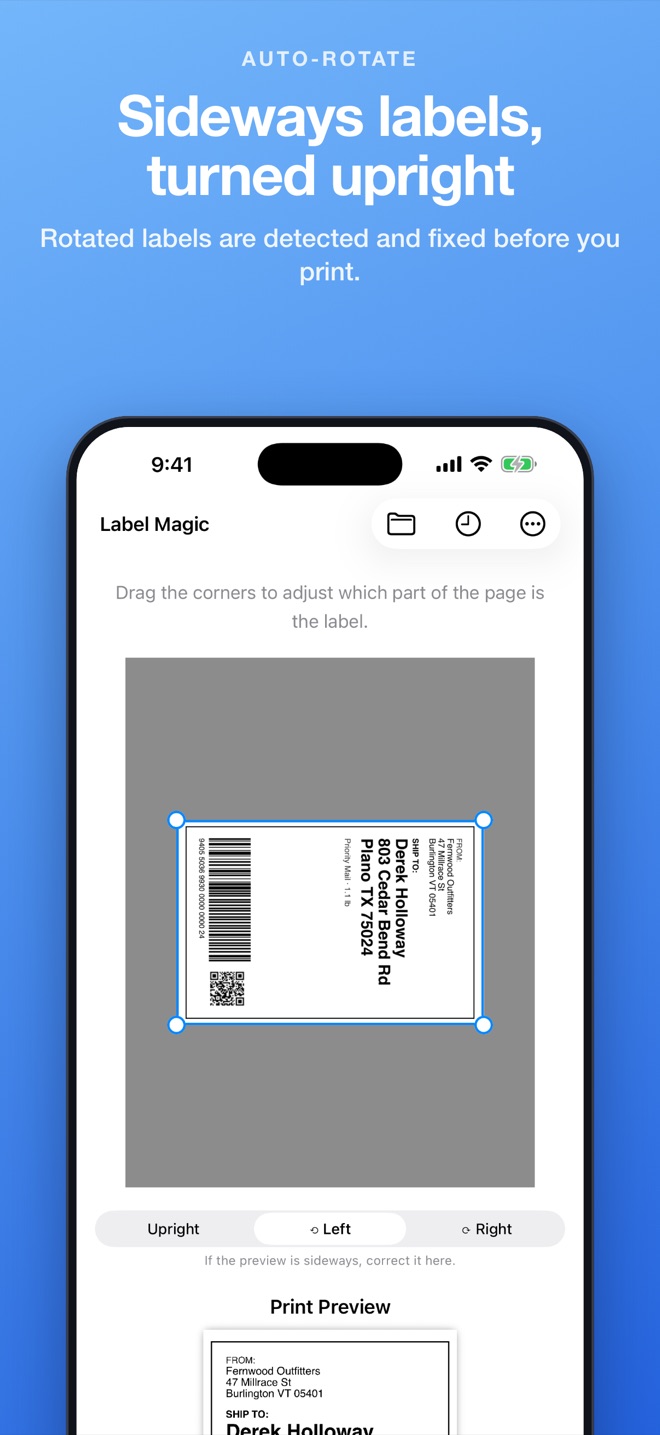
Label Magic locates the label on the page, crops it to 4×6 and turns sideways labels upright. Drag the corners if you want to adjust it.
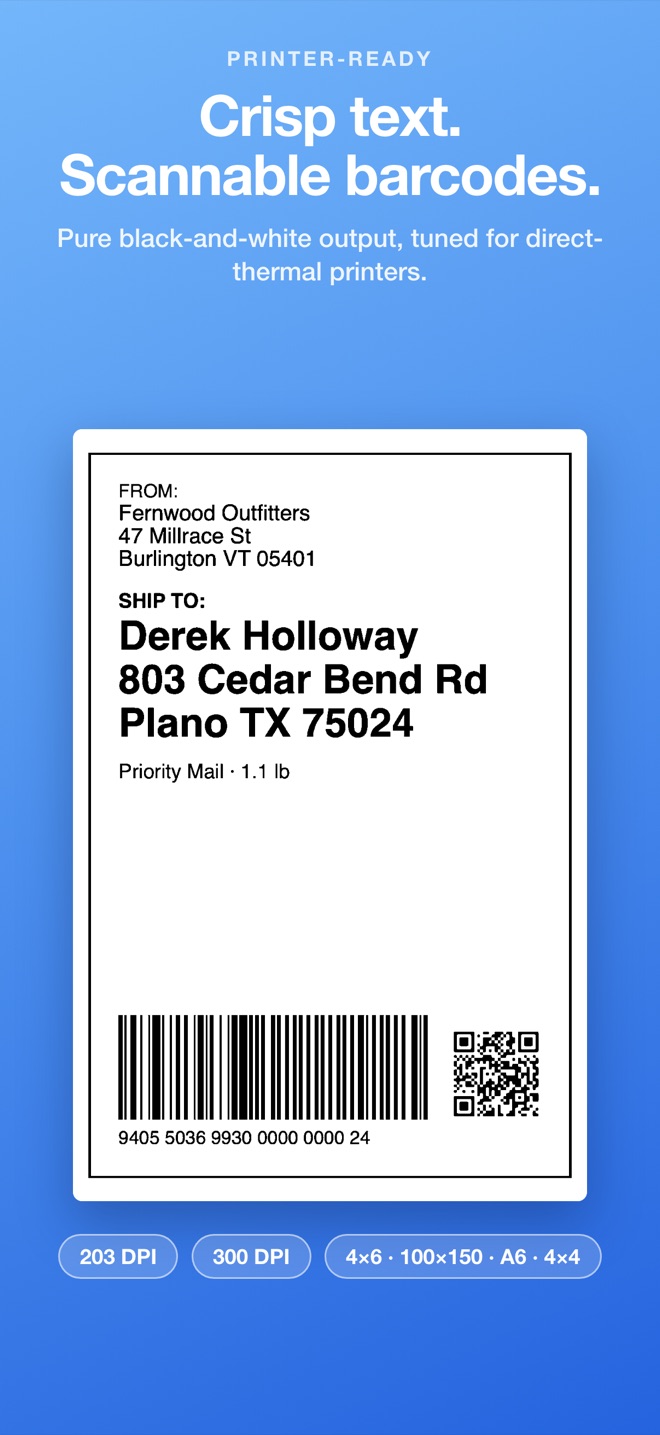
It prints at your printer's exact size and resolution, in crisp black and white, so barcodes scan.
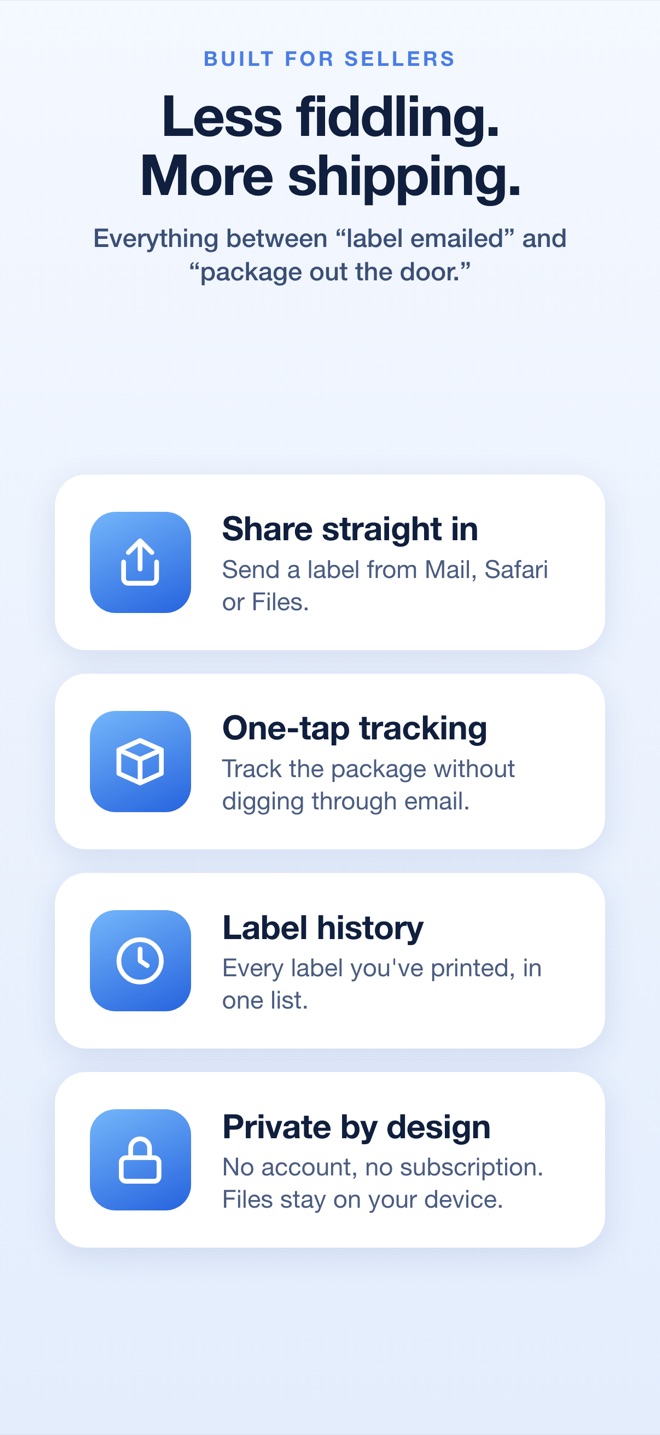
Built for sellers who ship every day
Everything between “label emailed” and “package out the door”.
Automatic crop
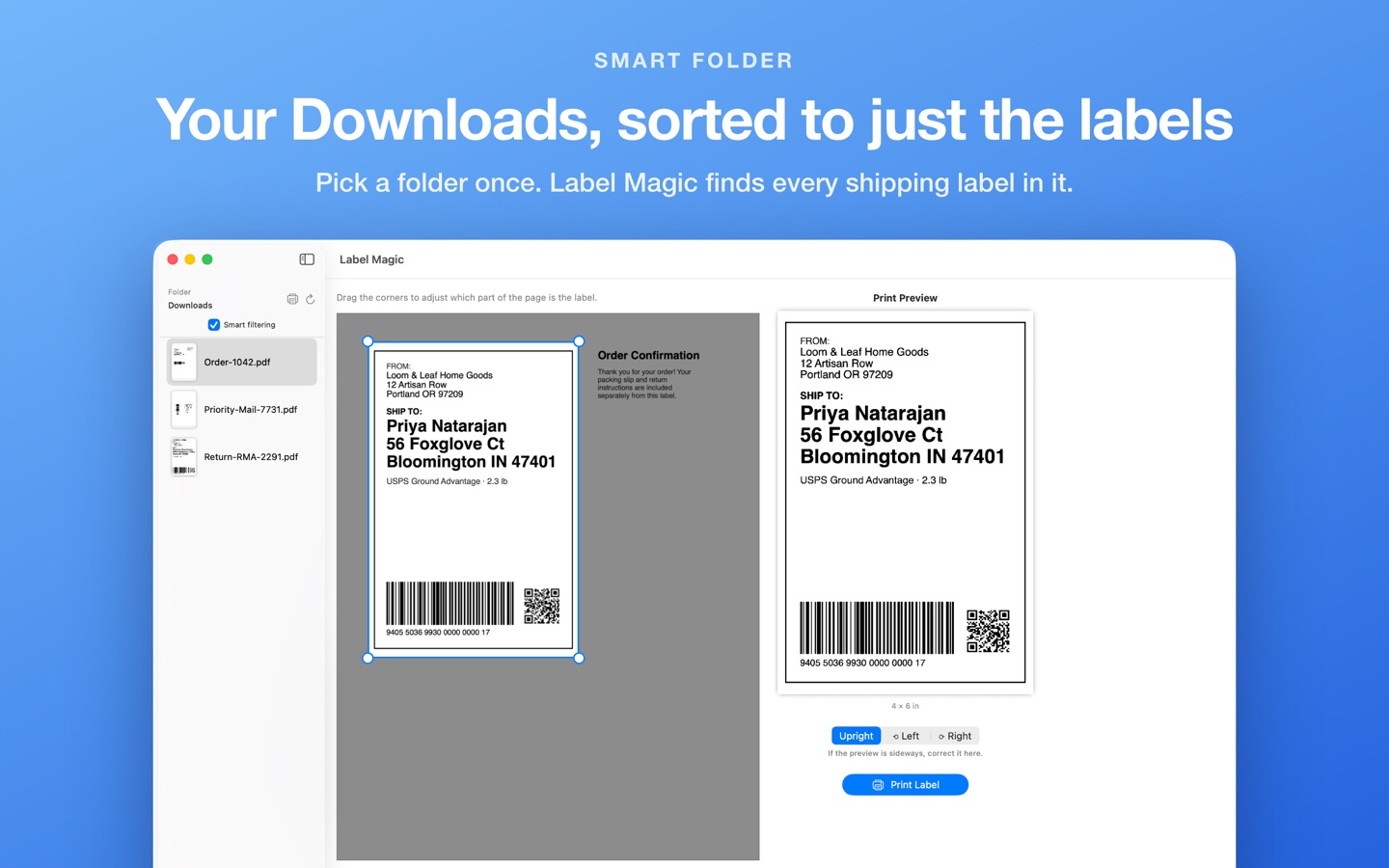
Finds the label on a full page and ignores packing slips and order notes next to it.
Auto-rotate
Labels embedded sideways are detected and turned upright before you print.
Printer-ready output
Pure black-and-white at 203 or 300 DPI. Small, low-resolution images are sharpened so small text stays readable.
Your label sizes
4×6 in, 100×150 mm, A6 and 4×4 in. On Mac, it can detect the right size from your label printer.
Folder browsing
Point it at your Downloads folder and click between labels. Smart filtering hides files that aren't labels.
Print a whole batch
Print every label in a folder as one job, with one trip through the print dialog.
One-tap tracking
Reads the tracking number from the barcode and opens the USPS, UPS, FedEx, DHL, Amazon or OnTrac tracking page.
Private by design
Labels are processed on your device and never uploaded. No account and no tracking.
On iPhone and iPad
Share a label straight into Label Magic from Mail, Safari or Files, then print to any AirPrint label printer.
On Mac
Keep your Downloads folder in the sidebar and print each new label in a couple of clicks. Works with the label printers your Mac can already print to.
Simple pricing
Free to download · 10 free labels
Try it with your own labels. When you're ready, one in-app purchase unlocks unlimited printing. It's a one-time purchase, not a subscription. Opening and previewing labels is always free.
Questions
Which printers does it work with?
Any 4×6 thermal label printer your Mac can print to, such as MUNBYN, Rollo or Zebra, and any regular printer. On iPhone and iPad the printer needs to support AirPrint. Set Label Magic's resolution to match your printer: most 4×6 thermal printers are 203 DPI, some are 300.
Which labels does it handle?
PDFs and images (PNG, JPEG, TIFF, GIF, BMP) from marketplaces and carriers, including eBay, Etsy, Amazon, USPS, UPS and FedEx labels. A label can fill the page, sit on part of a letter-size page, or be printed sideways.
Are my labels uploaded anywhere?
No. Everything happens on your device. See the privacy policy.
What happens after the 10 free labels?
You can keep opening and previewing labels. Printing more needs the one-time unlock. If you bought Label Magic when it was a paid app, printing is already unlocked.
Something didn't work
Visit support or email support@labelmagic.app. If a label isn't detected properly, send it over and it'll get fixed.